EA SPORTS FC 2026 PSP ISO (FC 26 PPSSPP) – NO TEXTURE • NO SAVEDATA DOWNLOAD
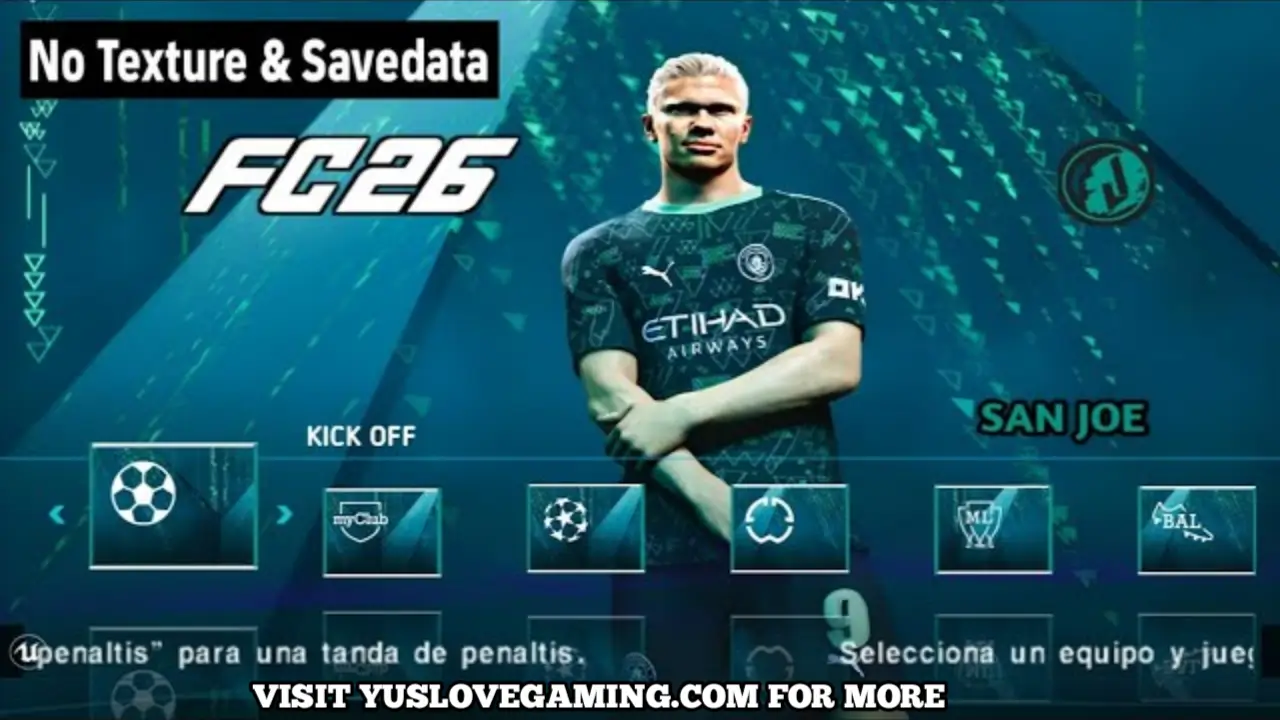
Introduction to EA Sports FC 26 PSP ISO
EA Sports FC 26 PSP ISO (FC 26 PPSSPP) is the latest edition of the FC series designed for PPSSPP on Android, bringing the 25/26 season updates, real player faces, updated league kits, and modern stadium presentations. This version does not include textures or savedata but includes Normal and PS5 camera options, providing a more realistic football viewing experience.
Optimized for PPSSPP, it ensures stable performance across low-end and high-end Android devices while maintaining offline play capability. Players can enjoy full club leagues, international competitions, and UCL tournaments with updated squads and kits.
Table of Contents
With smoother animations, updated team formations, and a refreshed interface, FC 26 PPSSPP offers a complete football experience without relying on additional textures or savedata files.
Updated 25/26 Season Transfers and Squads
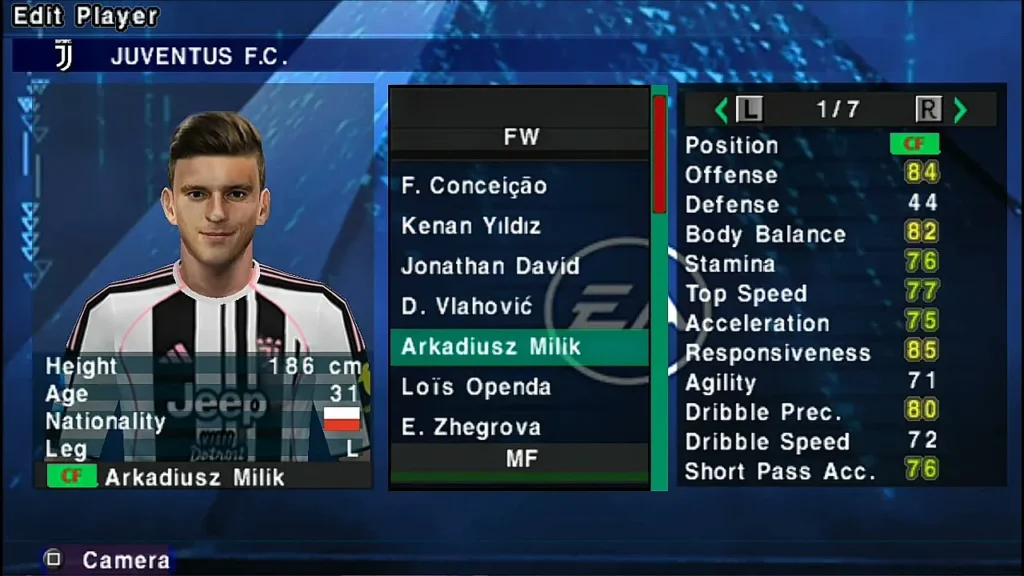
This version includes fully updated transfers and squad arrangements for all major clubs and national teams participating in the 25/26 season. Player positions, ratings, and key attributes have been revised to reflect real-world performance.
League Updates Include:
- Premier League
- La Liga
- Serie A
- Bundesliga
- Ligue 1
- UEFA Champions League clubs
- National teams
The update also adds emerging stars, corrected jersey numbers, and accurate formations for all clubs. National teams are refreshed for international tournaments with current rosters and updated kits.
HD Graphics, Stadiums & Visuals
FC 26 PPSSPP ISO provides enhanced visual quality, despite not including textures. Stadiums, kits, and player models are optimized for clarity and realism.
Visual Features Include:
- HD pitch and grass textures
- Realistic stadium lighting
- Updated player faces and jerseys
- Refined shadows and crowd effects
- Clean UI and menus
- Normal + PS5 camera angles
The Normal and PS5 camera views allow players to experience matches like modern console football, giving multiple perspectives without the need for additional texture packs.
See Also FIFA 16 MOD eFOOTBALL 2026 ANDROID OFFLINE UPDATE DOWNLOAD
Game Modes and Tournament Options
FC 26 PPSSPP ISO includes multiple offline football modes to suit casual and competitive players. All modes work without internet and load smoothly.
Available Modes:
- Exhibition Matches
- League Seasons
- Tournament Mode
- UCL & UEL Competitions
- Penalty Shootouts
- Career Mode / Become a Legend
AI has been refined to respond dynamically to player moves, making defending, attacking, and goalkeeping more realistic.
Audio, Commentary & Match Presentation
This FC 26 PSP version includes updated commentary lines, clearer stadium sound effects, and realistic crowd noise for offline play.
Audio Enhancements Include:
- Improved crowd chants
- Dynamic match whistle effects
- Clearer kick and pass sound
- Updated commentary timing
Even without textures, the audio experience helps create a lively football atmosphere, improving immersion in every match.
Controls and PPSSPP Optimization
FC 26 PPSSPP ISO is optimized for smooth performance across Android devices. Button layouts are customizable, and camera angles can be switched between Normal and PS5 views.
Key Control Features:
- Responsive analog movement
- Smooth passing and shooting mechanics
- Customizable on-screen buttons
- High FPS support
- Stable offline performance
The game runs smoothly even on older smartphones, with no additional textures required for high-quality visuals.
Installation Guide (No Texture • No Savedata)
Installing FC 26 PPSSPP ISO is simple since this version does not require textures or savedata files.
Step 1 – Download the ISO
You only need the FC 26 PSP ISO file.
Step 2 – Move the ISO
Place the ISO in your PPSSPP folder:PSP/ISO/
Step 3 – Launch the Game
Open PPSSPP → Locate FC 26 ISO → Start the match.
Step 4 – Select Camera
Inside settings, you can choose between Normal and PS5 camera views for the desired match perspective.
No additional texture or savedata setup is required, simplifying installation for all players.
Conclusion
EA Sports FC 26 PSP ISO (FC 26 PPSSPP) offers a complete 25/26 season football experience on Android. Despite no textures and no savedata, it delivers updated transfers, real faces, HD kits, multiple leagues, and smooth offline gameplay.
The inclusion of Normal and PS5 camera views allows for a modern broadcast-like experience. Perfect for casual and hardcore football fans, this ISO ensures enjoyable matches, realistic tactics, and immersive presentations without extra files or complicated setups.




1 comment